Email Privacy Training
This training gives your colleagues a general awareness of email privacy, which comes down to what goes into each email and who it is sent to.
5 mins | 3 Lessons | 3 Quizzes
Get Started FreeWhat the training consists of
-
1. The risks of email communication
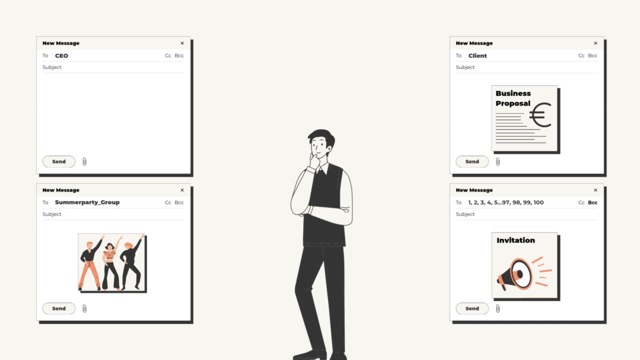
1:40Email is the main channel for working with colleagues, clients, partners and suppliers, so much of the organisation’s information passes through the inbox every day. The first lesson explains why that calls for care.
-
2. Email content management
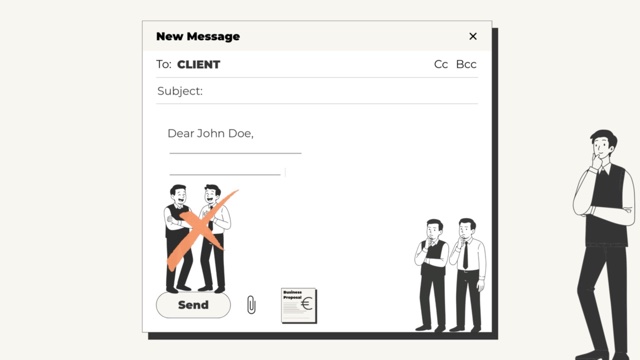
1:28The second lesson follows a project proposal from the team to a client. It covers the choices made before sending it: forwarding the internal thread or starting a new email, what to leave out, and how to share the files with that client only.
-
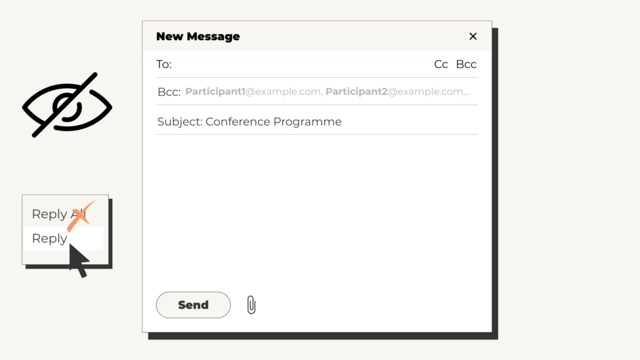
3. Email sending practices
2:03The last lesson turns to who receives an email. It covers when not to use Reply all, how the BCC (blind carbon copy) field keeps recipients’ addresses hidden from one another, and why each address is worth checking before pressing Send.
Why it matters
Sending an email can look harmless, but one click can put a spreadsheet of personal data, trade secrets or confidential business information in front of someone who should never see it. Simple mistakes like this lead to many data breaches.
What your colleagues learn
- Switching between tasks makes slips easy. One moment it is a confidential email to the CEO, the next a note about the team’s summer party, and a slip in any of them can expose information.
- An internal email thread can say more than intended. Forwarding the whole thread to a client can show them comments from colleagues that were never meant for them, so a fresh email avoids revealing internal discussions by accident.
- A client may pass an email on. Their boss or finance team may read it too, so a funny story about the last meeting is better left out and the tone kept professional.
- Every extra recipient widens the circle. Replying only to the person who asked, or using a direct address instead of a general one such as info@company.com, keeps information with the people who need it.
- The address the email program fills in is not always the intended one. A small difference, such as .co.uk instead of .com at the end, is enough to send the information to someone else entirely.